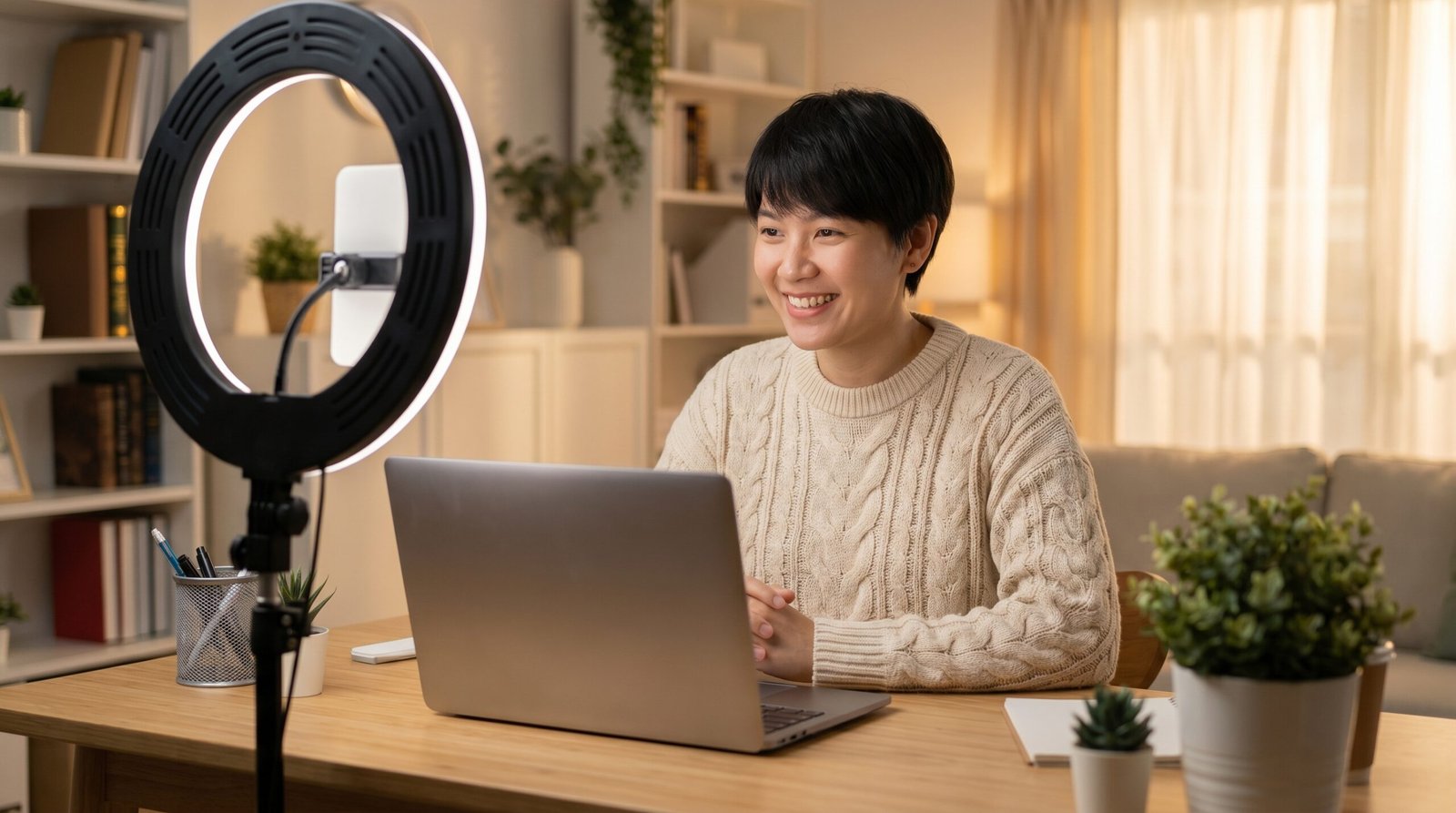
Most people open OmeTV and just start chatting without thinking much about how they look on camera. And then they wonder why people keep skipping them.
Here’s the truth — looking good on OmeTV has nothing to do with your actual looks. It’s about lighting, your camera angle, your background, and how you come across in the first few seconds. Anyone can improve this stuff with a few simple changes.
This guide covers everything you need to know to make a better first impression on OmeTV every single time.
Why First Impressions Matter on OmeTV
On OmeTV you have about two to three seconds before someone decides to skip you or keep talking. That’s it. In those few seconds they’re judging your lighting, your background, your expression, and your energy.
If your face is dark, your background is messy, or you look bored — people will skip. Not because you’re not interesting. Just because the first impression wasn’t there.
The good news is this is very easy to fix.
Fix Your Lighting First — It Makes the Biggest Difference

Use Natural Light When You Can
Natural light is the best thing you can do for your appearance on camera. Sit facing a window during the day and your face will look clear, bright, and natural. This alone makes a massive difference.
The key word is facing. If the light is behind you, your face will be dark and hard to see. Always make sure the light source is in front of you not behind.
Use a Ring Light if You Chat at Night
If you chat at night or in a dark room a small ring light is a game changer. They’re cheap, easy to set up, and they make your face look instantly better on camera. You can get a decent one for under $15 online.
Place it at eye level and slightly in front of your face. That’s the sweet spot.
Avoid Overhead Lighting
A light directly above you creates harsh shadows under your eyes and nose. It’s not a good look. If that’s all you have try moving slightly away from directly under it or angle a lamp to come from the side instead.
Get Your Camera Angle Right
Eye Level Is the Best Angle
If your camera is below your face it’s looking up at you which is unflattering for almost everyone. Raise your phone or laptop so the camera is right at eye level or just slightly above.
If you’re on a laptop stack some books under it. If you’re on a phone prop it up against something or use a small stand.
Don’t Sit Too Far or Too Close
Too far away and you look tiny and distant. Too close and it feels uncomfortable. A good rule is to keep your face taking up roughly the top half of the screen. You should be visible from roughly your shoulders up.
Your Background Matters More Than You Think
Keep It Clean and Simple
A messy background is distracting and gives off a bad first impression. You don’t need a fancy setup. Just make sure whatever is behind you is tidy and not too busy.
A plain wall, a simple bookshelf, or even a curtain works great. The goal is to keep the focus on you not your surroundings.
Good Lighting in the Background Helps Too
A completely dark background can make the whole video feel gloomy. A little bit of soft light in the background adds depth and makes your video look more professional and inviting.
How You Present Yourself on Camera
Smile When You First Connect
This sounds obvious but most people connect and just sit there looking neutral or even slightly annoyed. A genuine smile in the first second changes everything. It signals that you’re friendly, open, and worth talking to.
You don’t have to keep smiling the whole time. Just start with one. It sets the whole tone of the conversation.
For ideas on what to actually say after connecting check out our OmeTV Conversation Ideas guide.
Sit Up Straight
Slouching on camera looks sloppy and low energy. Sitting up straight makes you look more confident and engaged. It’s a small thing but people notice.
Look at the Camera Not the Screen
This is a big one. When you look at the screen instead of the camera it looks like you’re looking slightly downward or to the side. It breaks eye contact. Try to look directly at the camera lens as much as possible especially when you’re talking. It creates a much stronger connection.
Wear Something Decent
You don’t need to dress up but wearing something clean and presentable goes a long way. A plain t-shirt in a solid color looks great on camera. Busy patterns can look distracting on video.
Audio Matters Too
Looking good on camera helps but if your audio is bad people will still disconnect. Make sure you’re in a quiet room, speak clearly, and don’t have a lot of background noise.
If your microphone isn’t working properly check out our OmeTV Microphone Not Working guide to fix it.
Technical Things That Affect How You Look
Use a Good Internet Connection
A slow internet connection causes pixelated, blurry video that makes you look bad even with perfect lighting. Connect to WiFi if possible and make sure your signal is strong.
If you’re having connection issues our OmeTV Internet Connection Error and OmeTV Lag Fix guides can help.
Clean Your Camera Lens
This sounds silly but a smudged phone camera can make your video look soft and blurry. Give your camera lens a quick wipe before you start. It takes two seconds and actually makes a noticeable difference.
Use the Best Settings on OmeTV
Making sure your video quality settings are optimized inside the app also helps. Check out our OmeTV Best Settings guide for a full walkthrough.
Quick Checklist Before You Start a Chat
Here’s a fast checklist to run through before you hit start on OmeTV:
- ✅ Light is in front of your face not behind
- ✅ Camera is at eye level
- ✅ Background is clean and tidy
- ✅ You’re sitting up straight
- ✅ Camera lens is clean
- ✅ You’re in a quiet room
- ✅ Internet connection is strong
- ✅ Ready to smile when connected
Do these things every time and you will notice a real difference in how many people stick around to chat with you.

Frequently Asked Questions
Why do people keep skipping me on OmeTV?
The most common reasons are bad lighting, a messy background, a neutral or unfriendly expression, or poor video quality. Fix your lighting first — it makes the biggest difference. Also try smiling when you first connect instead of sitting there with a blank face.
Do I need expensive equipment to look good on OmeTV?
Not at all. Natural light from a window is completely free and works better than most equipment. If you chat at night a basic ring light costs very little. You don’t need anything fancy.
What is the best background for OmeTV?
A clean plain wall or a simple tidy room works best. Avoid messy backgrounds, cluttered shelves, or anything too busy or distracting. The goal is to keep the focus on you.
Does camera quality matter on OmeTV?
It helps but lighting matters more than camera quality. A decent phone camera with good lighting will look better than an expensive camera in a dark room. Focus on lighting first.
How can I improve my OmeTV experience overall?
Better lighting, a clean background, a good internet connection, and a friendly attitude will improve your experience a lot. For more tips check out our OmeTV Tips for Beginners and OmeTV Best Settings guides.
Why is my video blurry on OmeTV?
A blurry video is usually caused by a slow internet connection or a smudged camera lens. Check your WiFi signal, clean your camera, and make sure your video quality settings are set correctly in the app.
Does what I wear matter on OmeTV?
Yes it does. You don’t need to dress up but wearing something clean and presentable makes a good impression. Solid colors look better on camera than busy patterns.